
Index your footage
Your footage in one Google Drive folder, a catalog Sauna searches before every video, and what looking at video really costs.
How mine works. My footage sits on one drive, with a full copy in Google Drive, and Sauna is connected to that Drive. Sauna keeps two lists:
- A catalog of what's in every clip: the event, the place, tags, a score and a contact sheet.
- A file index of where each file sits. Sauna rebuilds it every night in about seven minutes, without opening a single video.
When a video needs a shot, Sauna reads the catalog, downloads only those files, works on the copies and deletes them when the video ships. The originals never change.
The prompts below ask Sauna to do the same job for you.
Before you paste
0 of 3
Connect my Google Drive. Use the account that holds my Footage folder, then tell me how many files are in it and how big it is.
- You’ll get
- A Google sign-in, then the folder's file count and size.
- Takes
- About a minute.
- If it doesn’t work
- Wrong account? Ask “Which Google account are you connected to?” and connect the other one.
What looking costs. Reading dates, places and file sizes costs next to nothing. Looking is what costs: an AI model charges for every image it looks at, and every frame of video is an image. My 36 hours of video is about 4 million frames. Nobody should pay to look at all of them.
So Sauna looks at contact sheets. A sheet is one image holding 12 to 80 frames, and it costs about the same to look at as a single frame. One frame per short clip, about 12 per long recording. My whole archive was described from about 2,200 sheets.
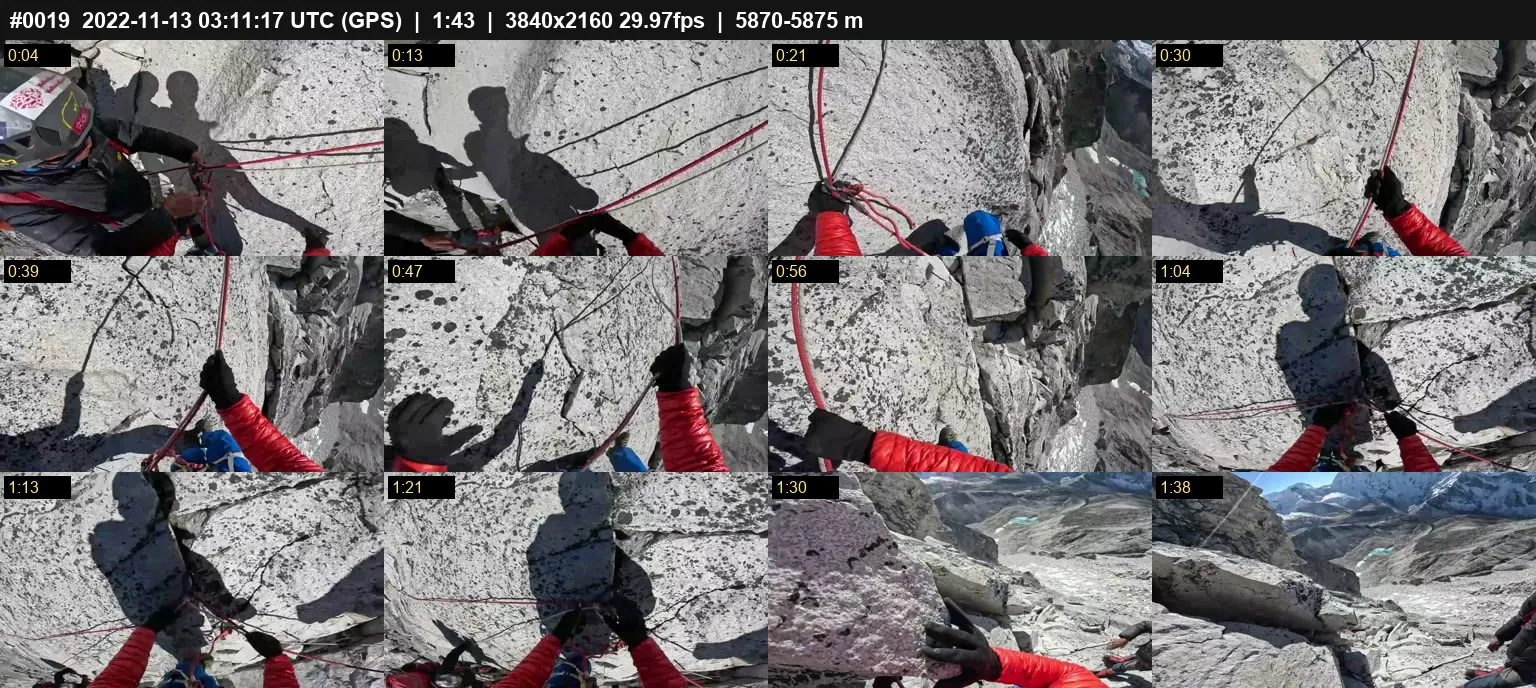 One sheet for a 1 min 43 s climb on fixed ropes at 5,870 m: 12 frames instead of about 3,100.
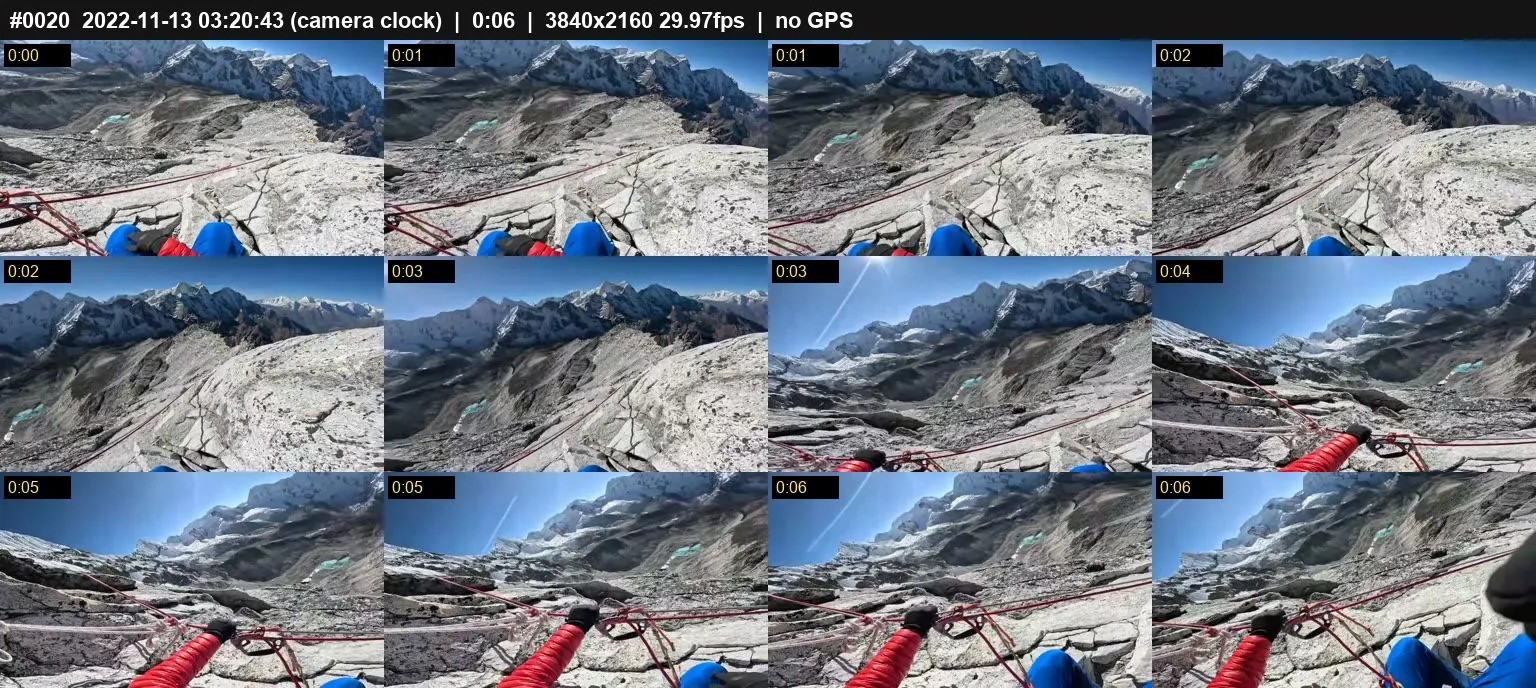 Twelve frames from a 6-second pan are nearly the same picture. For a clip this short, one frame tells you as much.
Go frame by frame only on the few seconds you'll actually use, like checking a cut or a face. And get the price first: the next prompt makes Sauna tell you how many images it will look at before it starts.
Go through every photo and video in my Google Drive folder "Footage".
First tell me how many files there are, how many images you'll look at, and roughly what it will cost. Wait for my yes.
Read each file's date, place, camera and length.
Group them into events: same days, same place.
Make one contact sheet per event: one frame per short clip, about 12 per long recording. Never look at every frame.
Give each event a title, a description and tags.
Leave out anything private, and tell me what you left out.
Score every file for how usable it is in a video.
Never edit, rename or delete an original.
Save a catalog in the same folder, by type, year and place.
- You’ll get
- First a count and a price to approve, then events, contact sheets and a catalog in your Footage folder.
- Takes
- Minutes for a few hundred files, hours for tens of thousands. It runs without you.
- If it doesn’t work
- Stopped partway? Ask it to carry on from the last event it finished.
Every night, check my Footage folder for new files. Add them to the catalog with their own contact sheets, and tell me in the morning what you added. Never look again at files that are already in the catalog.
- You’ll get
- A short note each morning saying what's new in the catalog.
- Takes
- A few minutes a night, and nothing on nights with no new files.
- If it doesn’t work
- Want to see, change or stop it? Ask “List my routines.”
Find three shots of [me on a mountain] in my catalog. Show me their contact sheets first, then copy only the one I pick into my project.
- You’ll get
- Three candidates with their sheets, then one file copied into your project.
- Takes
- Under a minute to find. Big clips take longer to copy.
- If it doesn’t work
- Nothing found? Ask what the catalog holds for that year or place, then search again.